Author: JD Strong

  • Year Six: The Mac Admins Slack Needs an Exit Plan

    Year Six: The Mac Admins Slack Needs an Exit Plan

    Do you know who pays for the Mac Admins Slack?

    Updated October 7, 2026: corrected the description of Mac Admins Open Source and added a disclosure. See the note under “Why Open Source Deserves an Evaluation.”

    Chris Dawe, co-chair of the Mac Admins Foundation (MAF), told that story at the MacAdmins Conference in July. A friend asked him the question, and he was happy to say he did know. I suspect most of the 85,000 accounts in the Slack could not say the same.

    This weekend, the Mac Admins Slack moves to Slack’s Enterprise plan. It goes offline on Friday, October 9 at 8:30 p.m. Pacific, and Slack estimates about 18 hours of downtime. I want to be clear up front: I think we should go ahead with the migration. The volunteer admin team needs better moderation tools, and the board did real work to get here.

    Some disclosure. I am a member of the Mac Admins Slack. I do not serve on the board or on the admin team. I spoke with board members at the conference in July, and the questions in this post are the ones I did not know to ask at the time.

    My concern is year six. As Mac Admins, we make a living ensuring there is a contingency plan. We escrow recovery keys, we test restores, and we ask every vendor how we get our data out. Our own community now has a five-year price agreement with a single vendor, and no published plan for what comes after it.

    Here is how we got here, what we know, and what I think we should ask for.

    We Have Moved Before

    Before 2015, Mac Admins kept in touch through mailing lists, IRC (Internet Relay Chat), and Twitter. As Chris Dawe put it in 2024, some of us relied on email, some on IRC, and some used Twitter. For me, the Mac Admins mailing list is where I made many of my first connections, and I lurked on the IRC channels. Tom Bridge’s IRC Guide still resides out on AFP548.

    Then, on May 12, 2015, Sabrina (Bri) Coy and Kitzy fired up a free Slack account to talk about Apple IT topics with friends. It had nearly 100 users within weeks and more than 5,000 active accounts by June 2016.

    Nobody planned that move. People drifted, and drifting cost nothing. There was no archive to leave behind, no bill, and no agreement.

    It did not stay free. Armin Briegel’s guide to the Mac Admins Slack notes that it started as an “employee-sponsored instance” before the foundation began funding it in 2022. I also recall a stretch when the instance was frozen until it was settled who would pay for it. An Addigy anniversary webinar recalls the same thing: a couple of weeks when nobody could log in.

    If my memory and theirs are right, we have already lost access once over who pays.

    Today the picture is different. Eleven years of history, 1,449 public channels, a six-figure annual bill, and a multi-year agreement. The next move will not be cheap, so it should not be improvised.

    How the Slack Is Paid For

    MAF is a 501(c)(3) nonprofit, founded in 2021 to take fiscal responsibility for the Mac Admins Slack. Volunteers run it entirely, and its Form 990 filings show no paid officers. As of July, the board had seven of nine seats filled, and the admin and moderator team was down to nine people. In September, they welcomed two new board members, filling all nine seats.

    The foundation also made an early commitment that the Slack should remain free to all comers. Our community includes people at Bay Area companies and people at rural school districts. I think that is the right commitment.

    Here is what the board shared in July:

    Item Figure Source
    Slack accounts 85,241 23:26
    Monthly active users 9,000 to 12,000 02:55
    Annual Slack cost on the legacy Business+ plan About $125,000 to $130,000 24:57
    Conference and speaker grants this year Almost $30,000 04:19
    Grants over the life of the program Almost $100,000 04:27
    Who funds it 10 major sponsors, 13 supporting sponsors, and 200+ individual donors 33:31

    Two things stand out to me.

    First, Slack bills on active users, not total accounts. The 85,000 number doesn’t drive the cost.

    Second, one year of Slack on the old plan cost more than every grant the foundation has ever awarded. That is not a criticism of the grants program. It shows where the money has to go first.

    Nearly all of that money is donated. Contributions made up 99% of the foundation’s revenue in its 2024 filing.

    What Members Cannot See

    The foundation is not hiding its books. Its Form 990 filings for 2022 through 2024 are public. What is missing is specific:

    • The new price. It has not been stated. We were told the price was going up no matter what, and that every option cost more than what we paid before.
    • The term. The talk described “a five-year price agreement locked in.” MAF has not said publicly whether that commits the foundation for five years, or whether it can leave earlier. Neither the announcement nor the migration FAQ addresses it.
    • Future disclosure. A monthly donor asked whether the budget could be made more visible. The answer was that, because of the relationship with Salesforce, the foundation “may have to be a little bit more abstract” about that in the future. The foundation’s home page says, “We keep our books open.” I would like to understand how those two statements fit together.
    • A gap I cannot explain. The 2024 filing reports $54,395 for all information technology, out of $172,120 in total expenses. The July talk cited about $125,000 per year for Slack alone. That may be contract timing, prepaid expenses, or a price increase at the last renewal. I do not know, and I would rather not guess.

    A Rough Estimate, Labeled as One

    In that same answer, Chris suggested a starting point: take the published 85% nonprofit discount, the monthly active user count, and a pricing tier. So I did.

    1. Business+ lists at $15 per user per month, billed annually.
    2. Slack for Nonprofits takes 85% off, which leaves $2.25 per user per month.
    3. At 9,000 to 12,000 monthly active users, that is $243,000 to $324,000 per year.

    For comparison, $125,000 per year works out to roughly $0.87 to $1.16 per active user per month. The legacy deal was already better than the standard discount.

    The negotiated Enterprise price is unknown, and it is presumably lower than my estimate. Still, the foundation’s total revenue in 2024 was $310,885. On the standard path, Slack alone would consume most or all of it.

    The Risk Is Not That Slack Disappears

    I do not think Slack is going away. The realistic risk is the renewal conversation in year five. Consider what the talk told us about our position:

    I appreciate that the board is on top of that last one. My point is that we are the ones asking.

    None of this is a complaint about the account team, who, by Chris’s account, advocated hard for us. It is a description of leverage. In five years, MAF sits down to negotiate with sixteen years of community history on the other side of the table, and no alternative in hand.

    “We Go Where the Community Is”

    What I heard in the hallway track in July was that the foundation goes where the community is, and the community is on Slack. If the community shifts, the foundation will follow.

    I understand the humility in that. I also think it is circular. The foundation pays for the space, the join link on macadmins.org points to it, and the archive lives there. The community cannot drift somewhere else without leaving all of that behind.

    In 2015, drifting was free. Today, the only realistic shift is forced: a price we cannot meet, terms we cannot accept, or a change in ownership. A forced move without a plan is what splinters a community.

    The Board’s Case

    I want to make the board’s case as well as I can, because it is a good one.

    • People are the constraint, not money. The foundation has run a surplus in each year it has filed, and it ended 2024 with about $285,000 in cash. What it lacks is hours. The board’s advisor put it this way: volunteers giving 8 hours a week run at 20% of the speed of full-time staff. The board hit pause in April to avoid burnout. Last year, 30 to 40 moderator applications sat unprocessed.
    • Enterprise solves real problems. On the old plan, code of conduct investigations meant volunteers had to ingest and process log data by hand. The Enterprise plan brings moderation, visibility, and support that the admin team has gone without.
    • A price lock is worth something. Five years of predictable cost gives the foundation a long runway to build its fundraising.
    • Nothing is lost in the move. Channels, history, direct messages, and files all carry over.
    • The work is being done properly. The foundation hired a consultant for the migration because it was not something to leave to volunteers.

    The honest reading is that “move everything to an open-source platform” would land on exactly the people who are already at their limit. I am not asking for that.

    Why Open Source Deserves an Evaluation

    It seems odd to me that a community that builds and maintains so much open source software, much of it through Mac Admins Open Source, runs its home on a closed platform. I will admit that is not much of an argument by itself. We manage a proprietary operating system with largely proprietary tools, and a hosted open-source product is still a vendor.

    Correction, October 7, 2026: An earlier version of this post implied that Mac Admins Open Source is part of the Mac Admins Foundation. It is a separate organization. Graham Gilbert, a board member for Mac Admins Open Source, wrote on LinkedIn that “Mac Admins Open Source is completely independent from MAF, with separate funding and separate board.” The Foundation’s 2026 fact sheet says, “The Foundation provides guidance and funding for the Mac Admins Open Source team.” You can find Mac Admins Open Source on GitHub and at macadmins.io. I regret the error. As of today, I am also a sponsor of Mac Admins Open Source.

    The argument that holds up is exit cost. With an open-source platform, the data format is open and the export is ours. If the host changes its terms, we can move to another host or run it ourselves.

    That maps directly onto the foundation’s mission, which includes “preserving collected knowledge for the benefit of others” and “protecting the independence of the community.” In 2024, Chris wrote of a community “that stands on its own, beholden only to itself.” I agree with that goal. A single-vendor dependency with no exit plan conflicts with it.

    There is a precedent from the IRC days. In May 2021, most of Freenode’s volunteer staff resigned after a change in control and started Libera Chat. Because IRC is an open protocol, communities could follow them without losing their tools.

    The costs are real, and I want to state them plainly:

    • Hosting. Someone pays for servers or for a hosted plan.
    • Operations. Someone patches, monitors, and restores, and that person is a volunteer.
    • Security. MAF would carry more of the liability for 85,000 accounts.
    • Moderation tooling. Any alternative has to match what the admin team is getting from Enterprise.
    • Attrition. Some share of those 9,000 to 12,000 monthly users would not follow.

    An honest evaluation may conclude Slack is still the right answer. That would be a fine outcome. The point is to have looked. I do not have a preferred platform, and I am deliberately not naming one.

    The Ask and the Offer

    I have three requests for the board:

    1. Publish the shape of the agreement. Is the five-year agreement a commitment or a price ceiling? What are the exit terms? I understand the price itself may be confidential. Members need the term and exit terms for planning.
    2. Set a decision date. Pick a date well before year five, and commit to deciding by then whether to renew or move, with an evaluation in hand.
    3. Hold our own exports. If possible, keep a regular export of the community’s public history, stored by MAF outside of Slack, on a published schedule.

    I also have a proposal: a member-staffed working group with a written charter and one deliverable. That deliverable is a platform evaluation and exit plan. It is not a migration.

    From the board, the group would need three things:

    • One board liaison.
    • The requirements list: moderation, audit, privacy, accessibility, and anything else an alternative must match.
    • Whatever can be shared about the exit terms.

    In July, Chris said the foundation has struggled to integrate non-board volunteers and is recommitting. “Let us put you to work,” he said. A scoped project with a single deliverable seems like a reasonable place to start.

    I am volunteering for it. I can commit 8 hours per month until the next Mac Admins Conference.

    Conclusion

    The migration will happen this weekend, and I hope it goes smoothly. Thank you to the board, the admin team, and everyone giving up a weekend for it.

    Year six will arrive whether we plan for it or not. None of us would accept “we will figure it out when the contract ends” from a vendor, and we would not accept it from ourselves at work. Our own community deserves the same care.

    In the meantime, there are things every member can do today:

    • Donate. If the Slack has helped you do your job, chip in.
    • Ask your vendors and your employer. John Mahlman, who runs fundraising for the foundation, made the case that a simple ask to a vendor you already work with can turn into a sponsorship.
    • Volunteer. The board has asked for help, and it means it.

    I would love to hear from you. Did you know how the Mac Admins Slack is funded? What would you want to see in an exit plan? Would you serve on a working group?


    References

    Addigy. (n.d.). 10 Years of Addigy in MacAdmins: Stories from the Community & What’s Next for Apple IT, from https://addigy.com/?p=54007

    Bridge, T. (2025). Celebrating Ten Years of Mac Admins This May!, from https://macadmins.org/news/2025/04/celebrating-ten-years-of-mac-admins-this-may/

    Bridge, T. (2013). A Field Guide to IRC, from https://www.afp548.com/2013/02/06/a-field-guide-to-irc/

    Briegel, A. (2023). MacAdmins Slack: a highly opinionated guide (2023), from https://scriptingosx.com/2023/05/macadmins-slack-a-highly-opinionated-guide-2023/

    Dawe, C. (2024). A Special Announcement, and a Special Thanks, from https://macadmins.org/news/2024/03/a-special-announcement-and-a-special-thanks/

    Dawe, C., & Blake, S. (2026). Mac Admins Foundation Action News [Video]. MacAdmins Conference, from https://www.youtube.com/watch?v=UzP1EDagT9Y (session listing: https://psumac2026.sched.com/event/2QBf3/mac-admins-foundation-action-news)

    G2. (n.d.). Slack Pricing, from https://learn.g2.com/slack-pricing

    Iaconelli, D. (2026). Save the Date: Mac Admins Slack is Moving to Enterprise Grid!, from https://macadmins.org/news/2026/09/mac-admins-slack-is-moving-to-enterprise-grid/

    Mac Admins Foundation. (2026). Mac Admins Foundation Welcomes Two New Board Members https://macadmins.org/news/2026/09/mac-admins-foundation-welcomes-two-new-board-members/

    Mac Admins Foundation. (2026). Slack Migration FAQ, from https://macadmins.org/community/slack-migration-faq/

    Mac Admins Foundation. (n.d.). Our Mission, from https://macadmins.org/about/mission/

    philanthropy.org. (n.d.). Mac Admins Foundation: Form 990, FY2024, from https://philanthropy.org/990/report/872718351/mac-admins-foundation

    ProPublica. (n.d.). Mac Admins Foundation, Nonprofit Explorer, from https://projects.propublica.org/nonprofits/organizations/872718351

    Slack. (n.d.). Apply for the Slack for Nonprofits discount, from https://slack.com/help/articles/204368833

    The Register. (2021, May 19). Report on the Freenode staff resignations, from https://www.theregister.com/2021/05/19/freenode_staff_resigns/
  • Interrupting the Stream: A Home Assistant Bedtime Reminder

    Interrupting the Stream: A Home Assistant Bedtime Reminder

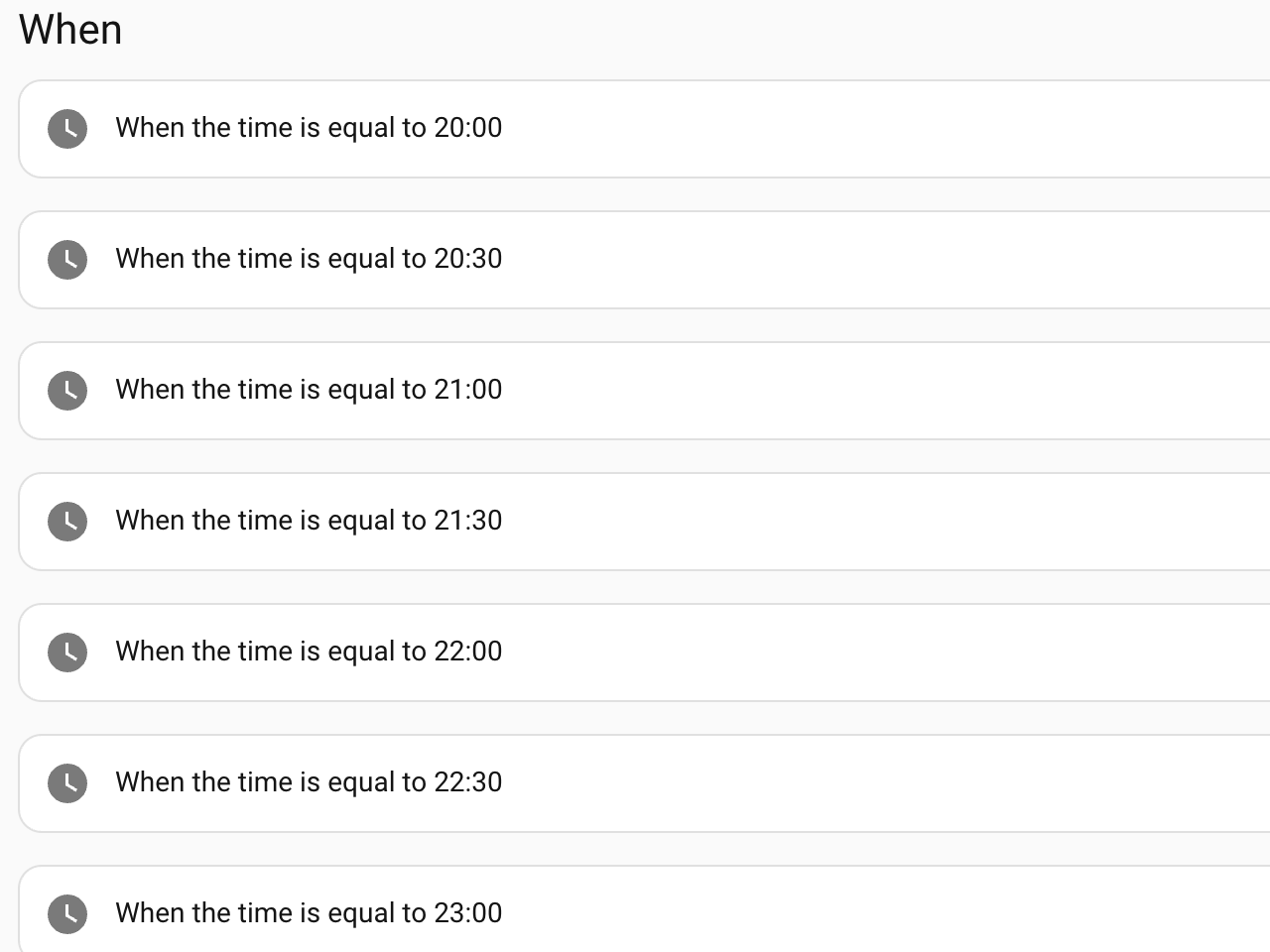
    We rise early, so getting to bed at a reasonable hour can be a challenge, whether it’s summer and the sun is still up past 21:00, or we’re sucked into a streaming show. One of the first things I added to Home Assistant was an evening time announcement to subtly remind or shame us that it is getting late. Since we generally stream using the Apple TV, I added the Apple TV integration for Home Assistant.

    At first, I thought I could send a message to display on the screen every half hour in the evening using HomeKit, but I could not get any version of this example to work. I’m sure I am doing something wrong, or my old Apple TV, which barely runs tvOS 26, has issues. I would still love to add an on-screen notification if anyone has a working example.

    I landed on checking whether media was playing on the Apple TV, pausing whatever was playing, making the time announcement, and then letting it play again. Pausing what is playing, even ever so briefly, gets our attention and makes us aware of the time announcement.

    To do this, I first set a variable to get the state of the Apple TV:

      - variables:
          appletv_was_playing: '{{ is_state(''media_player.living_room'', ''playing'') }}'
    

    With that variable set, I can check its state and take action:

      - if:
          - condition: template
            value_template: '{{ appletv_was_playing }}'
        then:
          - action: remote.send_command
            target:
              entity_id: remote.living_room
            data:
              command: pause
    

    I announce the time on the various media players throughout the place using Chime TTS.

         - action: chime_tts.say
           target:
             entity_id:
               - media_player.bedroom
               - media_player.living_room
           data:
             announce: true
             cache: true
             volume_level: 0.4
             message: >
               {% from 'speech_macros.jinja' import say_time %}
               The time is {{ say_time(now()) }}.
    

    Then, as an extra measure, add a half-second delay as padding, and then resume whatever was playing. The announce flag interrupts any playing audio, but I have found it just plays over whatever the Apple TV is doing.

      - delay:
          milliseconds: 500
      - if:
          - condition: template
            value_template: '{{ appletv_was_playing }}'
        then:
          - action: remote.send_command
            target:
              entity_id: remote.living_room
            data:
              command: play
    

    I’m not accounting for a bunch of edge cases here: What happens if the Apple TV is paused, or if someone presses play during the announcement? I figured I would address these if they ever became an issue.

    As an aside, text-to-speech is unpredictable and sometimes entertaining in how it handles whatever now() tunneled into strftime() outputs. I found a set of natural-language speech macros written in Jinja and tweaked them to my liking, since we prefer 24-hour time. To use this, save these two macros as speech_macros.jinja file in your /config/custom_templates/ folder. Restart or run homeassistant.reload_custom_templates after adding the file.

    {% macro _round_min(t, round_min) %}
      {% set minute = ((t.minute + round_min / 2) // round_min) * round_min %}
      {% set hour = t.hour + (1 if minute == 60 else 0) %}
      {% set minute = 0 if minute == 60 else minute %}
      {{ "%02d:%02d:00" % (hour % 24, minute) }}
    {% endmacro %}
    
    {% macro say_time(t, round_min=0, format_24h=True) %}
      {% if t is undefined or not t is datetime %}
        Macro Arg Type Error: First argument must be a datetime object
      {% elif round_min is defined and not round_min is integer %}
        Macro Arg Type Error: Second argument must be an integer
      {% else %}
        {% if round_min > 0 %}
          {% set t = today_at(_round_min(t, round_min)) %}
        {% endif %}
        {% set hour = t.hour %}
        {% set minute = t.minute %}
    
        {% if format_24h %}
          {% if minute == 0 %}
            {{ t.strftime('%H') }} hundred
          {% else %}
            {{ t.strftime('%H:%M') }}
          {% endif %}
        {% else %}
          {% if hour == 0 and minute == 0 %}
            midnight
          {% elif hour == 12 and minute == 0 %}
            noon
          {% elif minute == 0 %}
            {{ t.strftime('%-I') }} o'clock {{ t.strftime('%p') }}
          {% elif minute < 10 %}
            {{ t.strftime('%-I Oh %-M %p') }}
          {% else %}
            {{ t.strftime('%-I:%M %p') }}
          {% endif %}
        {% endif %}
      {% endif %}
    {% endmacro %}
    

    You call this with {% from 'speech_macros.jinja' import say_time %} The time is {{ say_time(now()) }}. as your message.

    So these don’t play after we go to bed; I check, for of all things, that the white noise machine is turned on. A sign we have gone to bed. You may have other triggers, or you might set a boolean that resets every day.

    Do we get to bed on time? Most nights.

  • Boring, Reliable, and Quiet: Motion Alerts in Home Assistant

    Boring, Reliable, and Quiet: Motion Alerts in Home Assistant

    Automation projects often start with curiosity or convenience. This one started with care.

    My partner’s parents, whom we affectionately call the parental-units, are aging. My partner’s mom is experiencing dementia, and her dad has been looking for ways to better support his wife day-to-day. We wanted something simple: passive awareness. Not cameras inside the home. Not constant monitoring. Just a quiet way to know when someone was up, moving, or possibly leaving the house.

    Home Assistant felt like it could be part of that solution.

    The goal was not automation; it was trust.

    The problem we were trying to solve had very little to do with Home Assistant itself.

    We needed low-noise awareness for an aging parent with early dementia. Sometimes my partner’s dad, in another room, wouldn’t realize his wife had gotten out of bed. Other times, we needed confidence that things were calm while someone was out, napping, or focused elsewhere.

    Good alerting in this context meant:

    • a simple heads-up that motion was detected in another room
    • or that a door had been opened

    What we explicitly did not want:

    • sirens
    • panic
    • or a feeling of constant surveillance

    Think alarm system sensor states, but without the alarm.

    Doors were easy. Motion was not.

    Door and window sensors behaved exactly as expected. A door opens, it stays open for a moment, and an alert fires. If it remains open, the alert can repeat. This maps cleanly to how Home Assistant’s alert: integration (a feature that manages notifications) works.

    Motion sensors were a different story.

    A simple walk around the bedroom could generate dozens, sometimes hundreds, of alerts. Motion crossed from useful into pure noise almost immediately.

    The failed mental model

    I assumed motion alerts would behave as they do in most alarm systems:

    • motion detected
    • sensor enters a “motion” state
    • remains active for a short period
    • alert repeats at a reasonable cadence

    Instead, I quickly learned that Passive Infrared (PIR) motion sensors do not behave that way.

    They emit frequent detection events, sometimes every second, along with data such as ambient light. Home Assistant was operating as expected, but my assumptions did not match reality.

    The alert: integration only repeats while an entity remains in the on state. Motion sensors were constantly flipping on and off. Each new detection triggered a new alert.

    The key insight: motion is event-based, not stateful

    Once that clicked, the problem reframed itself.

    The motion sensors did not have a concept of recent motion. They only knew how to say motion just happened. If I wanted alerts that matched human expectations, I needed to implement that concept myself.

    That is where latching came in.

    Latching motion: turning events into state

    The most important thing I learned in this project is that motion alerts only become usable once motion becomes stateful.

    To explain how this worked in practice, it helps to walk through a single example: the bedroom motion sensor.

    1. Raw motion

    This is the physical sensor. It reports motion whenever it sees it, and clears almost immediately afterward.

    binary_sensor.bedroom_motion

    On its own, this sensor is too noisy to alert on directly. It is accurate, but not human-friendly.

    2. Latched motion

    The next step was to create a latched version of that sensor: one that stays on for a fixed period after motion is detected.

    Conceptually:

    • motion happens → latched sensor turns on
    • additional motion extends the latch
    • no motion for five minutes → latch clears

    In Home Assistant, this was implemented as a template binary sensor with a delay_off (a setting that keeps the sensor on for a set period after motion is no longer detected):

    template:
    - binary_sensor:
    - name: "Bedroom motion latched"
    state: "{{ is_state('binary_sensor.bedroom_motion', 'on') }}"
    delay_off: "00:05:00"

    This change transformed motion from raw events to a useful state: recently detected motion.

    Five minutes was not chosen because it was perfect. It was chosen because it dramatically reduced alert noise and aligned with how people actually move through a room.

    Separating concerns: alerts are not sensors

    Once motion was latched, the next realization was that alerting logic should not live in the sensor itself.

    I wanted to be able to answer different questions independently:

    • Was there motion recently?
    • Should I be notified about it right now?
    • Are alerts temporarily muted?

    That led to a second layer.

    3. Alert conditions

    Instead of pointing alerts directly at the latched sensor, I created an alert-condition sensor that combined:

    • latched motion
    • global mute state

    Conceptually:

    latched motion AND alerts not muted

    In practice:

    template:
    - binary_sensor:
    - name: "Bedroom motion alert condition"
    state: >
    {{ is_state('binary_sensor.bedroom_motion_latched', 'on')
    and is_state('input_boolean.alerts_muted', 'off') }}

    This sensor answers a very specific question:

    Should an alert be active right now?

    The alert: integration then watches this entity, not the raw motion.

    Muting alerts without hiding reality

    The global mute was intentionally simple. It does not disable sensors. It does not suppress the state. It only gates notifications.

    That distinction matters.

    When alerts are muted:

    • motion still latches
    • dashboards still update
    • last motion time still changes

    What stops is the noise.

    That made it possible to quiet the system quickly without losing confidence that it was still working.

    Making state visible

    Once motion was latched and alerting was gated, it became important to clearly surface that state.

    Dashboards answered questions, notifications could not:

    • Has there been motion recently?
    • How long ago?
    • Are alerts muted intentionally?

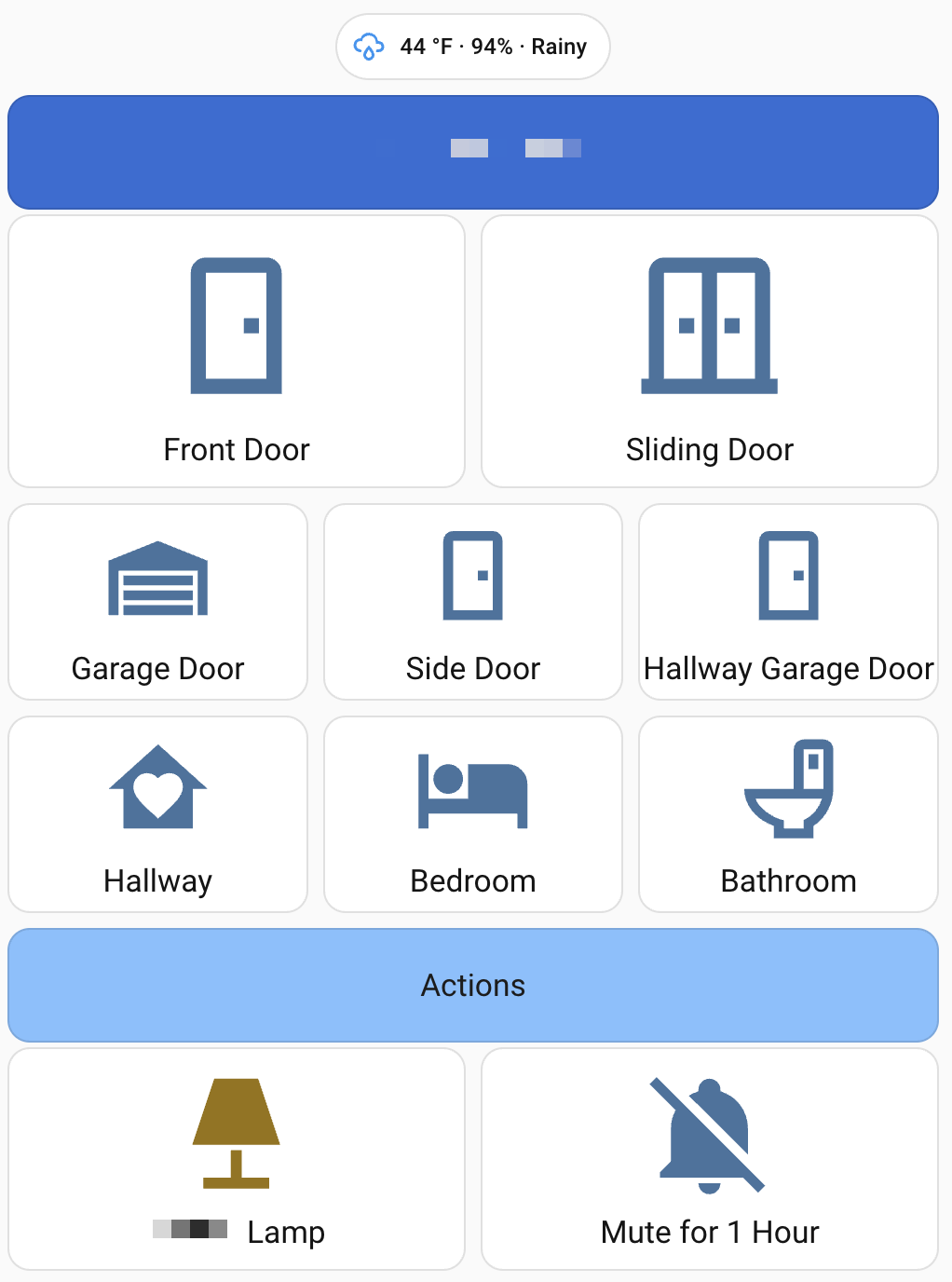
    Here’s the card I ended up with using the bedroom motion sensor as an example:

    type: custom:button-card
    entity: binary_sensor.bedroom_motion_latched
    name: Bedroom
    icon: mdi:bed
    tap_action:
    action: none
    
    show_label: true
    label: |
    [[[
    const motion = states['binary_sensor.motion_bedroom_motion'];
    const muted = states['input_boolean.alerts_muted']?.state === 'on';
    
    if (!motion) {
    return muted ? '🔕 Muted • Last motion: unknown'
    : 'Last motion: unknown';
    }
    
    const last = new Date(motion.last_changed);
    const now = new Date();
    const diffMs = now - last;
    
    const sec = Math.floor(diffMs / 1000);
    const min = Math.floor(sec / 60);
    const hr = Math.floor(min / 60);
    
    let ago;
    if (sec < 60) ago = `${sec}s ago`;
    else if (min < 60) ago = `${min}m ago`;
    else ago = `${hr}h ${min % 60}m ago`;
    
    return muted
    ? `🔕 Muted • Last motion: ${ago}`
    : `Last motion: ${ago}`;
    ]]]
    
    state:
    - value: "on"
    color: rgb(255,0,0)
    icon: mdi:bed-empty
    - value: "off"
    color: rgb(192,192,192)
    icon: mdi:bed

    A few important things are happening here:

    • The entity is the latched motion sensor, so the card remains active for a meaningful duration.
    • The label calculates how long ago the motion last occurred.
    • When alerts are muted, the card still updates, but clearly shows 🔕 Muted.
    • Color and icon changes make the state obvious without interaction.

    This visibility is not just for today’s caregivers. It is for future caregivers, and for future me, checking in remotely.

    Button-card as a communication tool

    I used button-card not because I needed buttons, but because I needed clarity.

    Color and icon changes instantly communicate state. For example, a garage door card turning red when open tells the story without interaction:

    type: custom:button-card
    entity: alert.garage_door
    state:
    - value: "on"
    color: rgb(255,0,0)
    icon: mdi:garage-open-variant

    Motion cards followed the same pattern: boring, obvious, and readable at a glance.

    Constraints I accepted on purpose

    There were many things I chose not to solve:

    • exposing every discovered device
    • chasing perfect real-time countdowns
    • eliminating alerts entirely

    My focus stayed narrow: door openings, motion, and understanding the system’s current state.

    In this context, boring and reliable always beat clever.

    Where this landed (so far)

    The system is a little noisy, so alerts are muted fairly often, but it is much more usable now.

    Most importantly, it has increased confidence: one parent can step away, we can check in, and we can trust that the system is working, even when it’s quiet.

    The takeaway

    The real lesson from building motion alerts for aging parents is that motion-based alerts are much harder than they appear—especially when real people have to live with the system.

    Home Assistant has a place here. Not as a flashy automation platform, but as a flexible, respectful alternative to camera-centric or alarm-first solutions. When the goal is care, quiet systems matter.

  • Sourdough Zen

    Sourdough Zen

    Once again, we find ourselves in trying times, and I find myself searching for my zen through sourdough. Sourdough is made from four simple ingredients: flour, water, salt and time. Adjusting any of these ingredients will impact the final product. But the last ingredient—time—is arguably the most important.

    The 2020 pandemic made sourdough hip and cool (again). Why? We had time. Time to feed a starter. Time to stretch and fold the dough. Time to shape. Time to score. Time to bake.

    Starter

    I grew up in the era of the original tamagotchi. The tamagotchi was an electronic toy displaying a digital image of a creature, which had to be looked after and responded to by the “owner” as if it were a pet. The sourdough starter can be seen in the same way—a pet that needs feeding and to be cared for. Water, flour, and time. Getting a starter going from scratch takes some persistence, but maintaining a starter isn’t difficult for even the laziest amongst us.

    I have maintained my starter, nicknamed The Yeastie Boys for over a decade. They are typically fed once a week as I make a batch of pizza dough, a loaf of bread, a pan of focaccia, or discard waffles. But The Boys and I have been through some stretches, where they’ve been abandoned, either by my travels or lack of time. Only the strongest survive, and after a feeding, possibly two, The Boys are back in action and ready to convert flour and water into carbon dioxide and flavor.

    Exposure

    I grew up on reruns of Mr. Wizard, Radio Shack Science Fair 200 in 1 electronics project lab, and a mother/nana duo of bakers in the kitchen. My mom and nana baked a lot of white homemade loaves risen with commercial powdered yeast, resulting in soft, pillowy loaves you wanted to smother in butter and devour. As kids, my brother and I watched, sometimes got in the way trying to help, but were surrounded by the wonders of fresh baked bread. My mom tried—and succeeded at—making amazing challah, bathed in an egg wash that made it look as if Norman Rockwell had painted it.

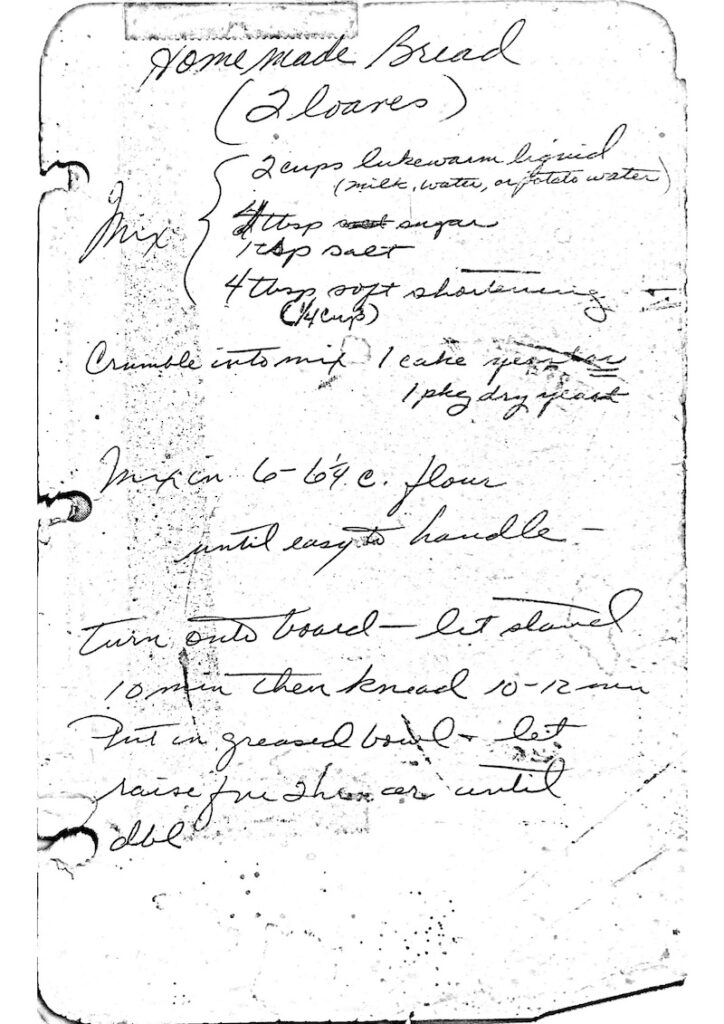
    Handwritten:
Homemade Bread
(2 loaves)
Mix {
2 cups lukewarm liquid (milk, water, or potato water)
4 tbsp sugar
1 tsp salt
4 tbsp (1/4 cup) soft shortening

Crumble into mix 1 cake yeast or 1 pkg dry yeast

Mix in 6-6 1/4 c. flour until easy to handle -

Turn onto board—let stand 10 min then knead 10-12 min.
Put in greased bowl & let raise for 2 hours or until dbl

    In college, I was lucky to have an apartment on campus with a full size stove and oven, and some time. With a copy of my mom’s bread recipe in its handy recipe binder, I set out to make bread by hand. No mixer. Taking the time to knead the dough on my small apartment kitchen counter. Stretching and folding the dough. Taking the stresses of school, work, and studies and putting them into the dough.

    I made a lot of bread. I ate a lot of bread.

    Post college, Alton Brown’s Good Eats came on the air. Mr. Wizard meets food science. I was obsessed. I perfected the brined AB Turkey, I made his grandmother’s pillowy soft biscuits. I knew how to cook from my mom and Boy Scouts, but I learned to experiment. I recreated my mom’s cookie recipes. I turned that into a side hustle for a little while, selling dozens of cookies around the holidays to my coworkers—who did not have the time.

    Experimentation

    At some point along the way, I came across one of those automatic bread makers. It had been a long while since I had baked bread, and despite the unitasker, it was fun to toss in water, flour, yeast, salt and some two hours later the house smelled like baked bread. The loaves weren’t pretty. Barely sliceable for toast. The bottom center looked as if a chipmunk dug into it to extract the mixing paddle. I managed a 100% whole wheat loaf from a bread maker. It was good, but it wasn’t great. I had come a long way from my college bread-making days, but sourdough was an entirely new challenge—one that required me to embrace failure as part of the process.

    At this point, I had also transitioned to a wholefood plant-based diet, and read more about how whole foods work with our bodies. Whole wheat bread—check. This is good, and good for you. But I was also reading about how much different bread is when allowed to ferment. Fermentation is a process where microorganisms—wild yeast and lactic acid bacteria—feed on the sugars in the dough, producing gases and acids. Yes, these byproducts are what give sourdough its rise, flavor, and texture—but the wild yeasts and bacteria fundamentally transform the flour, making it more digestible.

    About that time, I stumbled upon a new website, The Perfect Loaf. Maurizio Leo, a software engineer turned baker, walked me through a starter using rye flour. I experimented with baker’s percentages, and learned a whole new world for calculating a loaf. I hit the library and dug into books old and new about sourdough. Studied the black and white photos in books to understand shaping a loaf. I overproofed. I under baked. I lacked strength in my dough. I swore a lot.

    Confidence

    For the last eight years, Sunday night has been pizza night: from hand-stretched thin crusts to Al Taglio, the airy, bready Roman-style pizza. The toppings sometimes help clean out the fridge, but the smell of baked bread, the crack of the crust, the yin and yang of the sour crumb of the crust to the sweet maillard caramelized sugar in the dough wafts through our home on a Sunday night.

    Pizza on Sundays is a reset. Last week’s stresses are tonight’s dinner. Time was invested and then shared with those I love. Mistakes are now happy accidents, and the swearing is less. My experiments built confidence, and helped me focus and refine pizza doughs, sandwich loaves, focaccias and more.

    Sourdough is not a rushed activity. It requires patience, from nurturing the starter to allowing the dough to rise and develop flavor, to the final bake. Sourdough is a reminder of the importance of respecting time and process in both baking and life. Experimentation takes time. Sourdough takes time.

    Take time.

    Find your sourdough Zen.

  • Add More Protein to a Whole Food Plant-Based Diet

    Add More Protein to a Whole Food Plant-Based Diet

    Did you know the average adult loses 3–5% of their muscle mass every decade after age 30? 

    When I first transitioned to a whole food plant-based (WFPB) diet 15 years ago, I thought I had it all figured out. I embraced vibrant salads, hearty grains, and colorful veggies with enthusiasm—but there was one thing I overlooked: protein. More recently, I realized I needed to be more intentional about getting enough of this critical macronutrient, especially as I get older.

    I’m not a registered dietitian, though my partner—who has a nutrition degree and will soon be an RDN—has helped me navigate this journey. Can we really meet our protein needs on a WFPB diet? What does 25–30 grams of protein per meal look like when meat and dairy aren’t on the menu? And how do we incorporate protein into daily meals without feeling overwhelmed?

    I’ll share my journey of tackling protein goals one meal at a time—starting with breakfast. I’ve included practical tips, science-backed facts, and easy recipes to help anyone interested in optimizing their plant-based lifestyle. If I can do it, so can you!

    Why Protein is Key, Especially as We Age

    Protein is often referred to as the “building block” of the body—and for good reason. It’s essential for repairing tissues, building muscle, and supporting a healthy immune system. But as we age, protein becomes even more critical for maintaining our health.

    Around the age of 30, adults begin losing muscle mass at a rate of 3–5% per decade, a condition known as sarcopenia. This natural muscle loss doesn’t just impact strength and mobility—it can also affect metabolism, increase the risk of falls, and reduce overall quality of life. The National Institute on Aging emphasizes the importance of adequate protein intake to mitigate these effects.

    How much protein do we actually need? While the RDA (Recommended Dietary Allowance) for protein is about 0.8 grams per kilogram of body weight, experts like those at Harvard T.H. Chan School of Public Health suggests aiming higher—especially for older adults. Studies show that 1.0–1.2 grams per kilogram of body weight can help preserve muscle and prevent deficiencies, which translates to approximately 25–30 grams of protein per meal for most adults.

    On a whole food plant-based diet, this can feel like a daunting target at first. Volumetrically, it’s a lot of food, but calorically, it’s not. The good news is that with a little planning and creativity, it’s absolutely achievable. The key is knowing which plant-based foods pack a protein punch and learning how to incorporate them into balanced meals.

    Plant-Based Protein Sources That Pack a Punch

    One of the most common misconceptions about plant-based diets is that they’re inherently low in protein. While it’s true that meat, eggs, and dairy are often concentrated protein sources, there’s no shortage of plant-based foods that deliver plenty of protein along with fiber, vitamins, and minerals.

    Here are some of the best whole food plant-based protein sources to consider:

    1. Legumes (Beans, Lentils, and Chickpeas)

    Legumes are a powerhouse of protein, delivering around 7–9 grams of protein per half cup cooked. Beyond protein, they’re also high in fiber, which helps with digestion and keeps you feeling full. For example:

    • Black beans: 7g protein per ½ cup
    • Lentils: 9g protein per ½ cup
    • Chickpeas: 7g protein per ½ cup

    2. Soy-Based Foods (Tofu, Tempeh, and Edamame)

    Soy is one of the most protein-dense plant-based options. It’s also a complete protein, meaning it contains all nine essential amino acids your body can’t produce on its own.

    • Firm tofu: 15g protein per ½ block (3 ounces)
    • Tempeh: 15g protein per ½ block (3 ounces)
    • Edamame: 9g protein per ½ cup

    3. Whole Grains (Quinoa, Oats, and Brown Rice)

    While grains aren’t often thought of as protein sources, they can still contribute a significant amount to your daily intake—especially when paired with other foods.

    • Quinoa: 8g protein per cup (cooked)
    • Steel-cut oats: 5g protein per ½ cup (cooked)
    • Brown rice: 5g protein per cup (cooked)

    4. Nuts, Seeds, and Nut Butters

    Nuts and seeds are small but mighty, offering a mix of protein, healthy fats, and minerals. Incorporate them into smoothies, oatmeal, or salads for an easy protein boost.

    • Chia seeds: 2g protein per tablespoon
    • Hemp hearts: 3g protein per tablespoon
    • Almond butter: 6g protein per 2 tablespoons

    5. Plant-Based Protein Powders

    While focusing on whole foods is ideal, protein powders and protein isolates can be a convenient option for busy days. Many brands, like Orgain, offer plant-based protein powders that are free of artificial ingredients. One serving of Orgain’s protein powder packs 21g protein, making it good for a post-workout smoothie or breakfast on the go. You can also find protein isolates like pea-protein, defatted peanut butter powder and other protein isolates that do not have sweeteners or creamer-like smoothie bases.

    By incorporating a variety of these foods, you can easily meet your protein needs while enjoying a diverse and flavorful diet. Check out the Cleveland Clinic’s guide on protein-rich plant-based foods for more options.

    What 25–30g Protein Per Meal Looks Like

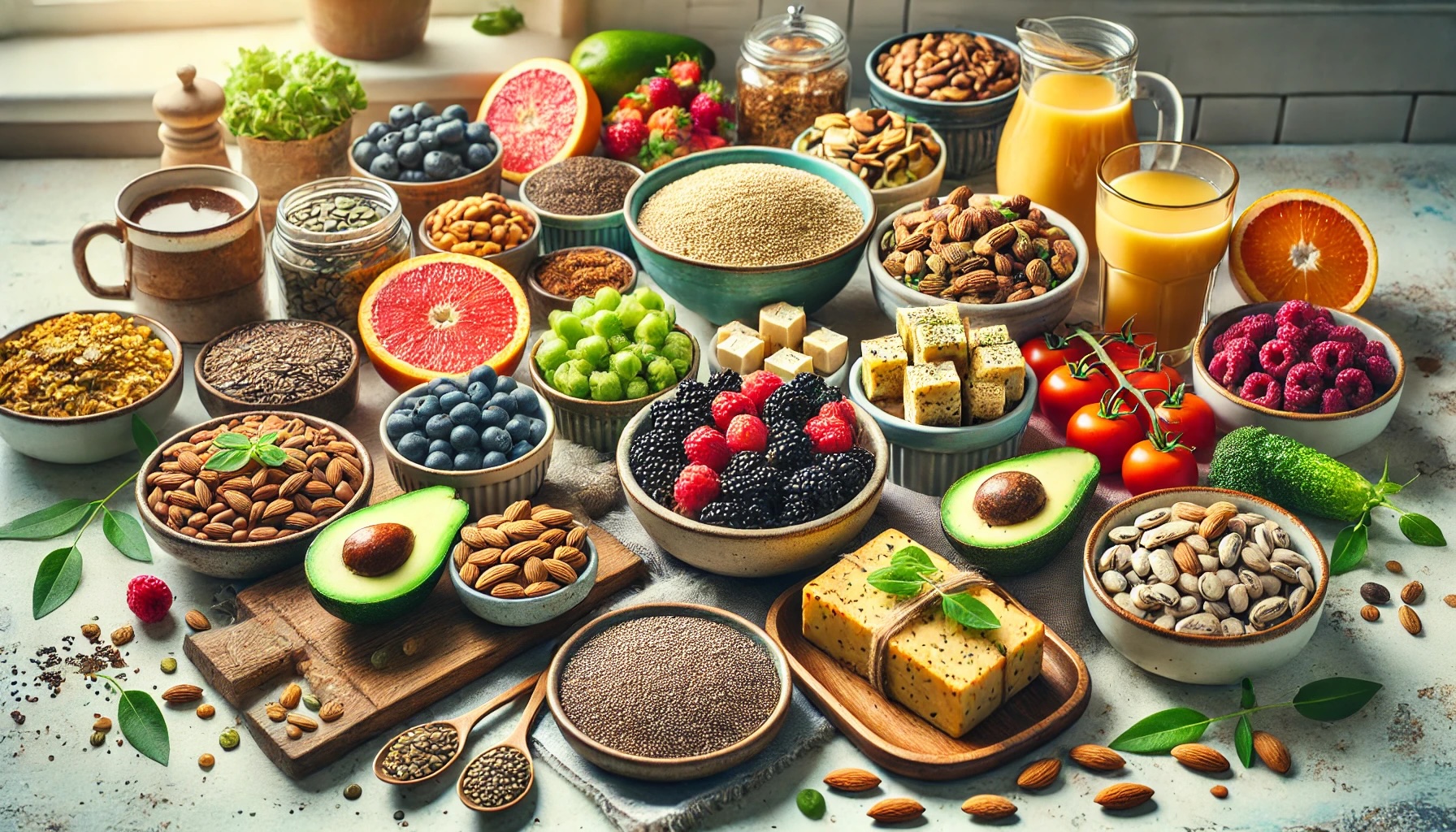
    Meeting the recommended 25–30 grams of protein per meal on a plant-based diet is easier than you might think. It’s all about combining a few key ingredients to create a well-rounded plate.

    Breakfast is often considered the most important meal of the day, so it’s a great place to start when trying to boost your protein intake. By incorporating a few high-protein ingredients into your morning routine, you can create meals that are not only filling but also fuel you for the day ahead.

    Here are a few examples of what a high-protein breakfast can look like:

    1. Savory Chickpea and Tofu Scramble Wrap

    • 1/2 cup cooked chickpeas (7g protein)
    • 1/2 block firm tofu, crumbled (15g protein)
    • 1 whole-grain tortilla (6g protein)
    • 1 tbsp nutritional yeast (2g protein)
      Total Protein: ~30g

    2. Quinoa Breakfast Bowl with Almond Butter and Chia

    • 1 cup cooked quinoa (8g protein)
    • 1 tbsp chia seeds (2g protein)
    • 2 tbsp almond butter (6g protein)
    • 1/2 cup unsweetened soy milk (4g protein)
      Total Protein: ~28g

    3. Lentil and Sweet Potato Hash

    • 1/2 cup cooked lentils (9g protein)
    • 1 small roasted sweet potato (2g protein)
    • 1/4 cup edamame (6g protein)
    • 1/2 cup spinach (1g protein)
      Total Protein: ~27g

    4. Coach’s Oats Overnight Oats Smoothie with Orgain Protein Powder

    • 50g Orgain protein powder (21g protein)
    • 40g Coach’s Oats (6g protein)
    • 1 tbsp hemp seeds (3g protein)
      Total Protein: ~30g

    By building meals with protein-dense ingredients like legumes, grains, soy, and seeds, you can easily hit your target protein goals without compromising on flavor or nutrition.

    Tips for Success

    1. Plan Ahead: Keep your pantry stocked with staples like lentils, quinoa, tofu, and nuts.
    2. Diversify Your Plate: Mix and match protein sources to ensure you’re getting all essential amino acids.
    3. Experiment with Recipes: Don’t be afraid to try new meals or flavors to keep things exciting.

    Meeting protein needs on a plant-based diet is not only possible—it’s enjoyable, sustainable, and full of culinary possibilities.

    Conclusion

    Adding more protein to a whole food plant-based diet doesn’t have to be complicated or intimidating. With a little planning, creativity, and some go-to recipes, you can easily meet your protein needs while enjoying a diverse and nutrient-rich menu.

    Throughout my own journey, I’ve learned that building high-protein meals is all about balance—combining legumes, grains, soy-based foods, and seeds in ways that are both flavorful and satisfying. Whether it’s a quick Coach’s Oats smoothie for breakfast, a hearty lentil hash, or a tofu scramble, the possibilities are endless.

    And yes, plant-based eaters can absolutely meet their protein needs! By focusing on variety and incorporating nutrient-dense foods, you can thrive on a plant-based diet while supporting your health, energy, and longevity.

    I’d love to hear from you! What are your favorite high-protein plant-based meals? Have you tried any of the recipes shared in this post?

    References

    Academy of Nutrition and Dietetics. (n.d.). Vegetarian diets, from https://www.eatright.org/food/nutrition/vegetarian-and-special-diets/vegetarian-diets 

    Cleveland Clinic. (2021). Plant-based sources of protein, from https://health.clevelandclinic.org/plant-based-sources-of-protein/ 

    Coach’s Oats. (n.d.). Coach’s Oats, from https://www.coachsoats.com

    Harvard T.H. Chan School of Public Health. (n.d.). Protein: What’s the best source?, from https://www.hsph.harvard.edu/nutritionsource/what-should-you-eat/protein/

    National Institute on Aging. (n.d.). Protein: Why your body needs it, from https://www.nia.nih.gov/health/protein-important-you

    Orgain. (n.d.). Plant-based protein powder, from https://orgain.com/collections/protein-powder

    Physicians Committee for Responsible Medicine. (n.d.). Protein, from https://www.pcrm.org/good-nutrition/nutrition-information/protein 

    United States Department of Agriculture. (n.d.). FoodData Central, from https://fdc.nal.usda.gov/