Automation projects often start with curiosity or convenience. This one started with care.
My partner’s parents, whom we affectionately call the parental-units, are aging. My partner’s mom is experiencing dementia, and her dad has been looking for ways to better support his wife day-to-day. We wanted something simple: passive awareness. Not cameras inside the home. Not constant monitoring. Just a quiet way to know when someone was up, moving, or possibly leaving the house.
Home Assistant felt like it could be part of that solution.
The goal was not automation; it was trust.
The problem we were trying to solve had very little to do with Home Assistant itself.
We needed low-noise awareness for an aging parent with early dementia. Sometimes my partner’s dad, in another room, wouldn’t realize his wife had gotten out of bed. Other times, we needed confidence that things were calm while someone was out, napping, or focused elsewhere.
Good alerting in this context meant:
- a simple heads-up that motion was detected in another room
- or that a door had been opened
What we explicitly did not want:
- sirens
- panic
- or a feeling of constant surveillance
Think alarm system sensor states, but without the alarm.
Doors were easy. Motion was not.
Door and window sensors behaved exactly as expected. A door opens, it stays open for a moment, and an alert fires. If it remains open, the alert can repeat. This maps cleanly to how Home Assistant’s alert: integration (a feature that manages notifications) works.
Motion sensors were a different story.
A simple walk around the bedroom could generate dozens, sometimes hundreds, of alerts. Motion crossed from useful into pure noise almost immediately.
The failed mental model
I assumed motion alerts would behave as they do in most alarm systems:
- motion detected
- sensor enters a “motion” state
- remains active for a short period
- alert repeats at a reasonable cadence
Instead, I quickly learned that Passive Infrared (PIR) motion sensors do not behave that way.
They emit frequent detection events, sometimes every second, along with data such as ambient light. Home Assistant was operating as expected, but my assumptions did not match reality.
The alert: integration only repeats while an entity remains in the on state. Motion sensors were constantly flipping on and off. Each new detection triggered a new alert.
The key insight: motion is event-based, not stateful
Once that clicked, the problem reframed itself.
The motion sensors did not have a concept of recent motion. They only knew how to say motion just happened. If I wanted alerts that matched human expectations, I needed to implement that concept myself.
That is where latching came in.
Latching motion: turning events into state
The most important thing I learned in this project is that motion alerts only become usable once motion becomes stateful.
To explain how this worked in practice, it helps to walk through a single example: the bedroom motion sensor.
1. Raw motion
This is the physical sensor. It reports motion whenever it sees it, and clears almost immediately afterward.
binary_sensor.bedroom_motion
On its own, this sensor is too noisy to alert on directly. It is accurate, but not human-friendly.
2. Latched motion
The next step was to create a latched version of that sensor: one that stays on for a fixed period after motion is detected.
Conceptually:
- motion happens → latched sensor turns on
- additional motion extends the latch
- no motion for five minutes → latch clears
In Home Assistant, this was implemented as a template binary sensor with a delay_off (a setting that keeps the sensor on for a set period after motion is no longer detected):
template:
- binary_sensor:
- name: "Bedroom motion latched"
state: "{{ is_state('binary_sensor.bedroom_motion', 'on') }}"
delay_off: "00:05:00"
This change transformed motion from raw events to a useful state: recently detected motion.
Five minutes was not chosen because it was perfect. It was chosen because it dramatically reduced alert noise and aligned with how people actually move through a room.
Separating concerns: alerts are not sensors
Once motion was latched, the next realization was that alerting logic should not live in the sensor itself.
I wanted to be able to answer different questions independently:
- Was there motion recently?
- Should I be notified about it right now?
- Are alerts temporarily muted?
That led to a second layer.
3. Alert conditions
Instead of pointing alerts directly at the latched sensor, I created an alert-condition sensor that combined:
- latched motion
- global mute state
Conceptually:
latched motion AND alerts not muted
In practice:
template:
- binary_sensor:
- name: "Bedroom motion alert condition"
state: >
{{ is_state('binary_sensor.bedroom_motion_latched', 'on')
and is_state('input_boolean.alerts_muted', 'off') }}
This sensor answers a very specific question:
Should an alert be active right now?
The alert: integration then watches this entity, not the raw motion.
Muting alerts without hiding reality
The global mute was intentionally simple. It does not disable sensors. It does not suppress the state. It only gates notifications.
That distinction matters.
When alerts are muted:
- motion still latches
- dashboards still update
- last motion time still changes
What stops is the noise.
That made it possible to quiet the system quickly without losing confidence that it was still working.
Making state visible
Once motion was latched and alerting was gated, it became important to clearly surface that state.
Dashboards answered questions, notifications could not:
- Has there been motion recently?
- How long ago?
- Are alerts muted intentionally?
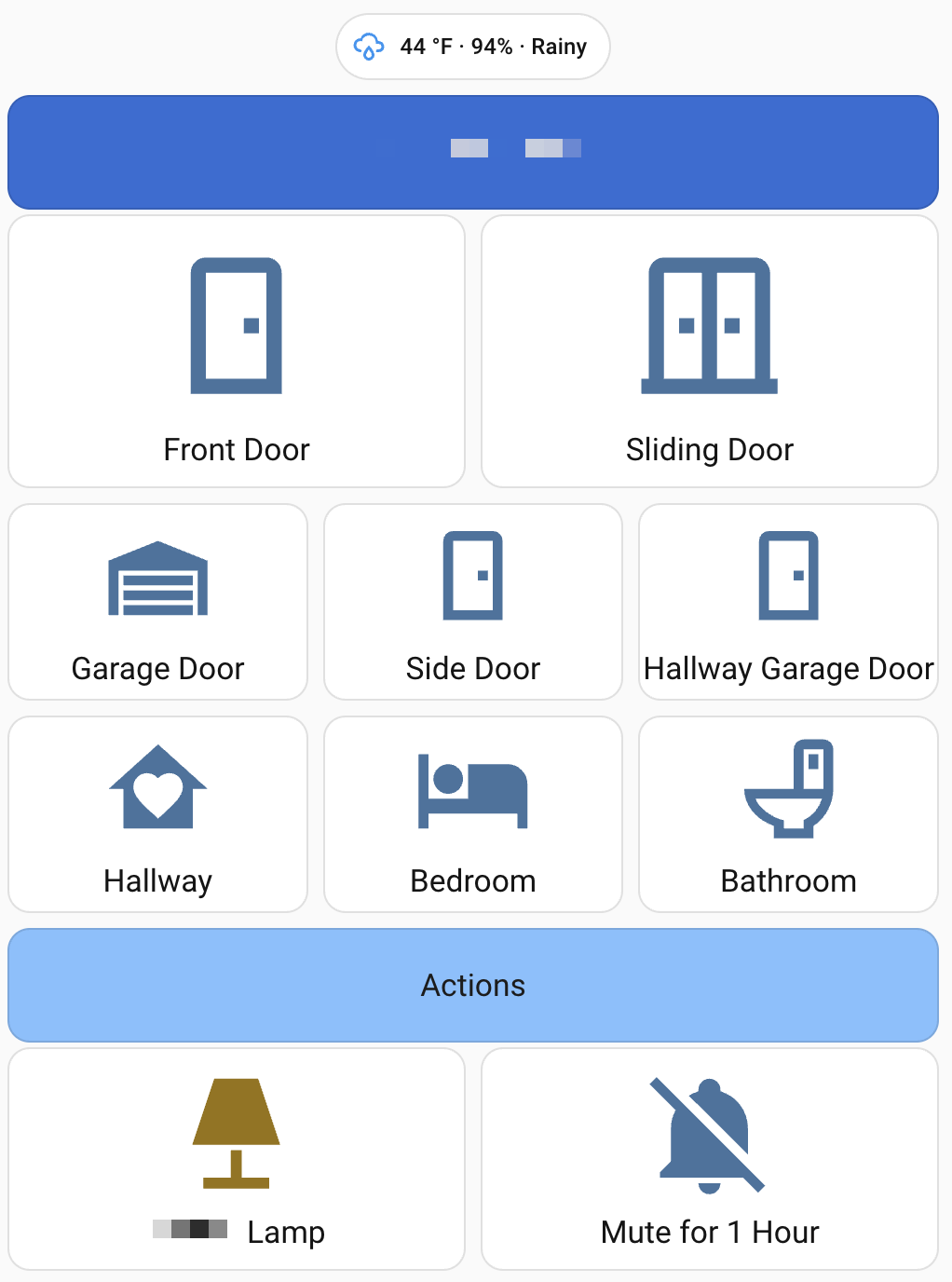
Here’s the card I ended up with using the bedroom motion sensor as an example:
type: custom:button-card
entity: binary_sensor.bedroom_motion_latched
name: Bedroom
icon: mdi:bed
tap_action:
action: none

show_label: true
label: |
[[[
const motion = states['binary_sensor.motion_bedroom_motion'];
const muted = states['input_boolean.alerts_muted']?.state === 'on';

if (!motion) {
return muted ? '🔕 Muted • Last motion: unknown'
: 'Last motion: unknown';
}

const last = new Date(motion.last_changed);
const now = new Date();
const diffMs = now - last;

const sec = Math.floor(diffMs / 1000);
const min = Math.floor(sec / 60);
const hr = Math.floor(min / 60);

let ago;
if (sec < 60) ago = `${sec}s ago`;
else if (min < 60) ago = `${min}m ago`;
else ago = `${hr}h ${min % 60}m ago`;

return muted
? `🔕 Muted • Last motion: ${ago}`
: `Last motion: ${ago}`;
]]]

state:
- value: "on"
color: rgb(255,0,0)
icon: mdi:bed-empty
- value: "off"
color: rgb(192,192,192)
icon: mdi:bed
A few important things are happening here:
- The entity is the latched motion sensor, so the card remains active for a meaningful duration.
- The label calculates how long ago the motion last occurred.
- When alerts are muted, the card still updates, but clearly shows
🔕 Muted. - Color and icon changes make the state obvious without interaction.
This visibility is not just for today’s caregivers. It is for future caregivers, and for future me, checking in remotely.
Button-card as a communication tool
I used button-card not because I needed buttons, but because I needed clarity.
Color and icon changes instantly communicate state. For example, a garage door card turning red when open tells the story without interaction:
type: custom:button-card
entity: alert.garage_door
state:
- value: "on"
color: rgb(255,0,0)
icon: mdi:garage-open-variant
Motion cards followed the same pattern: boring, obvious, and readable at a glance.
Constraints I accepted on purpose
There were many things I chose not to solve:
- exposing every discovered device
- chasing perfect real-time countdowns
- eliminating alerts entirely
My focus stayed narrow: door openings, motion, and understanding the system’s current state.
In this context, boring and reliable always beat clever.
Where this landed (so far)
The system is a little noisy, so alerts are muted fairly often, but it is much more usable now.
Most importantly, it has increased confidence: one parent can step away, we can check in, and we can trust that the system is working, even when it’s quiet.
The takeaway
The real lesson from building motion alerts for aging parents is that motion-based alerts are much harder than they appear—especially when real people have to live with the system.
Home Assistant has a place here. Not as a flashy automation platform, but as a flexible, respectful alternative to camera-centric or alarm-first solutions. When the goal is care, quiet systems matter.